

Unassigned pool and claiming
Who owns a person, how to claim people from the unassigned pool, Claim next lead on Home, and how to release someone.
Every person has one owner or none. The owner is the teammate who follows up with them. A person nobody owns is in the unassigned pool, and anyone in the workspace can claim them.
People arrive without an owner when they come from an import or write in first. Add person claims them for you unless you switch Claim them for me off, and a campaign step can assign an owner as well.
The pool
Unassigned pool is a view on People, with its count on the tab. It lists everyone nobody owns, and each row has Claim in the Owner column. When the pool is empty the view says Everyone has an owner.
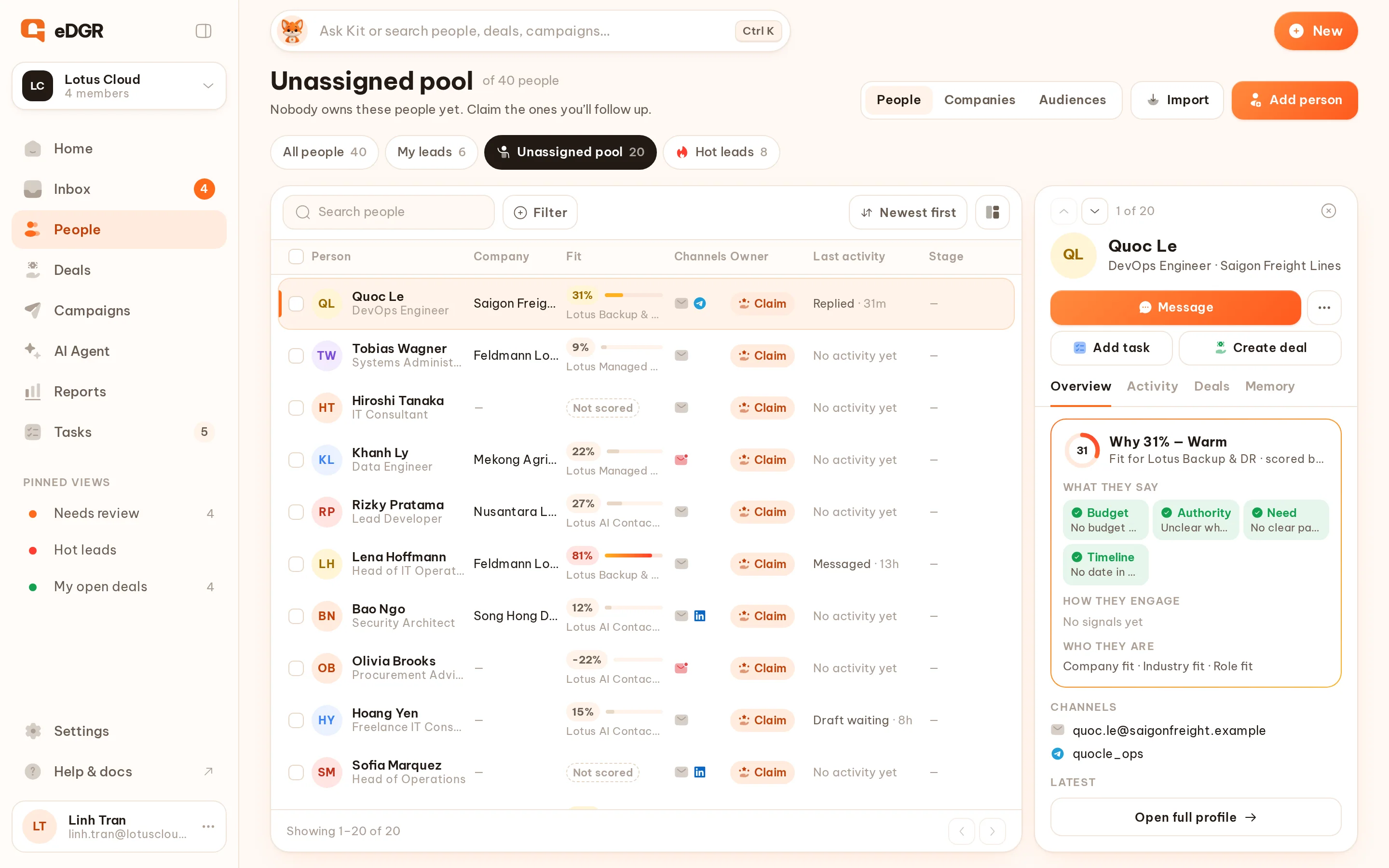
- 1 Unassigned pool, with its count.
- 2 Claim in the Owner column.
Claim people
| Where | How |
|---|---|
| People list | Claim in the Owner column of a row. |
| Preview or person’s page | More actions › Claim, or Claim on the owner card of the person’s page. |
| Several at once | Tick the rows, then Assign › Assign to me in the bulk bar. People who already have an owner are left as they are, and a message says how many. |
| Home | Claim next lead, below. |
A claimed person moves to your My leads, and the message “Linh is yours now” confirms it. When two people claim the same person at once, the second sees “Customer is already claimed or not in the pool” and nothing changes.
Claim next lead
The Needs you card on Home has a hot-leads tile with Claim next lead.
- When hot leads nobody owns are waiting, the tile reads “5 hot leads, no owner” and the button claims the one with the highest fit.
- When none of them is hot, the tile reads “12 people waiting” and the button claims the person who has waited longest in the pool.
- When the pool is empty, the tile reads Everyone has an owner and links to People.
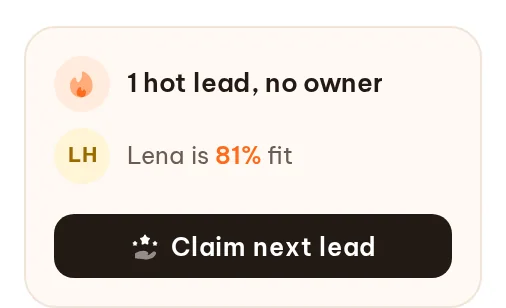
- 1 How many hot leads have no owner.
- 2 Claim next lead.
The message after claiming has Open, which opens the person’s page.
Release a person
Releasing puts a person back in the pool.
- On the person’s page, Release on the owner card, or More actions › Release to the pool. Only the owner can release a person this way.
- In the bulk bar, Assign › Release to the pool releases every selected person, including people a teammate owns.