

Runs
Find a campaign's past runs, see what each step did for one person, stop a run, run a campaign again or copy it.
Every launch of a campaign is a run. A run holds one flow per person in the audience at launch, and each person’s flow records every step it ran.
Run history
There are two places to look:
- On the campaign report, Run history lists the latest 20 runs with their status, date, number of people and replies. Picking one switches the whole report to that run.
- In the builder, History in the header opens the full list of runs.
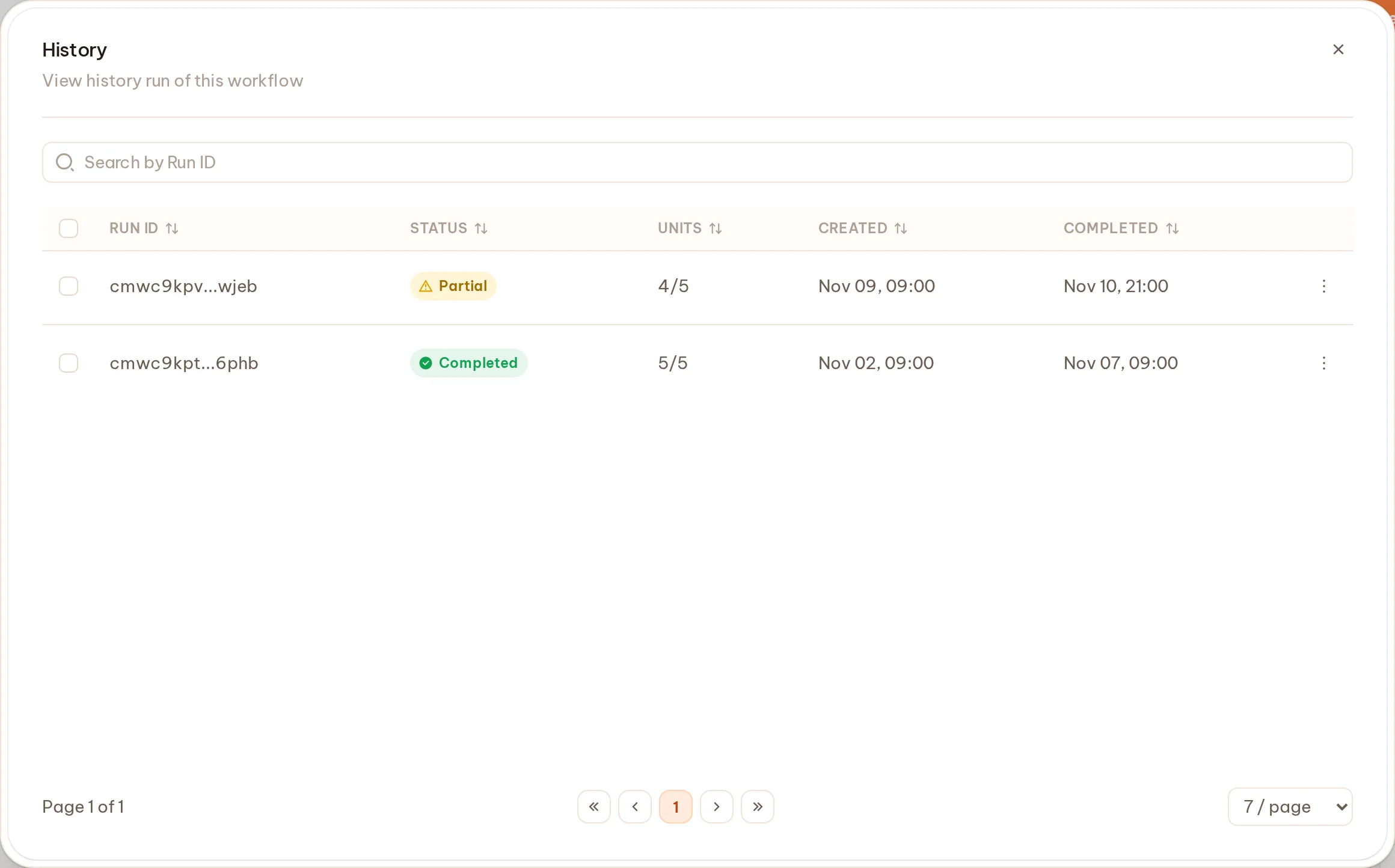
- 1 Search by Run ID.
The History window lists each run with RUN ID, STATUS, UNITS (people who finished out of everyone in the run), CREATED and COMPLETED, a page at a time. Search by Run ID filters the page you are on.
One person’s steps
-
Open a run
In History, click a run. Execution Detail shows its status, start and end, duration, and a row for each person (a unit) with their status and duration.
-
Open a person
Click a person. Unit Detail shows their email and every step their flow ran, in order, each with its status (Success, Failed, Pending, Skipped or Canceled), the time it started and how long it took.
-
Open a step
Click a step. A failed step shows its error in red. Input shows what the step was given, with every variable already filled in for this person; Output shows what it produced, such as whether they replied and the reply text. The copy button copies either one.
The window names steps by their type, such as email-send or ai-classify-intent, and shows input and output as raw data. For a readable view of one person, use People in this run on the report: expand a person to see each step they passed, what happened there (Replied, Clicked, Opened) and the error of a failed step, with Open profile.
Stop a run
Stop run is in the report header, the campaign’s preview on the list, the ⋯ menu of its row, and the builder’s ⋯ menu, while a run is going.
Stop this run? warns that everyone still in the campaign stops where they are and that messages already sent can’t be recalled. Stop run confirms; Keep running backs out.
- People still in the flow, including those waiting for a reply, end as stopped. People who already finished or failed keep that result.
- A run where nobody had finished or failed ends as Stopped. A run where some people had already finished or failed ends as Partial.
- Stopping doesn’t cancel a scheduled launch. Cancel that in Review & launch.
Run again
Run again on the report opens Review & launch for a new run. The new run reads the audience and the flow as they are now, so people added to the audience since the last run join it, and people who were in the last run get the flow again.
Edit during a run
You can change the flow while a run is going. Each person follows the flow as it was when they started, so edits take effect in the next run. The one exception is an email linked to a template: it sends the template as it is at the moment of sending.
Duplicate a campaign
Duplicate in a campaign’s ⋯ menu copies it as “Name (copy)” with the same flow, audience and product, and no runs. A scheduled launch isn’t copied. The toast has Open to go to the copy’s builder.
Delete a campaign
Delete in the ⋯ menu, or Delete campaign in the builder, removes the campaign, its flow and its run history after a confirmation. Messages already sent stay sent.