

Bulk actions
Selecting several people to tag them, add them to an audience, assign or release them, merge duplicates or delete them.
Tick the box at the start of a row to select a person. The box in the header, Select all on this page, selects every row on the page, up to 25. A selection covers the page you are on: changing the page, the view, the search or a filter clears it.
As soon as one person is selected, a dark bar appears at the bottom of the table with the count, the actions and Clear selection.
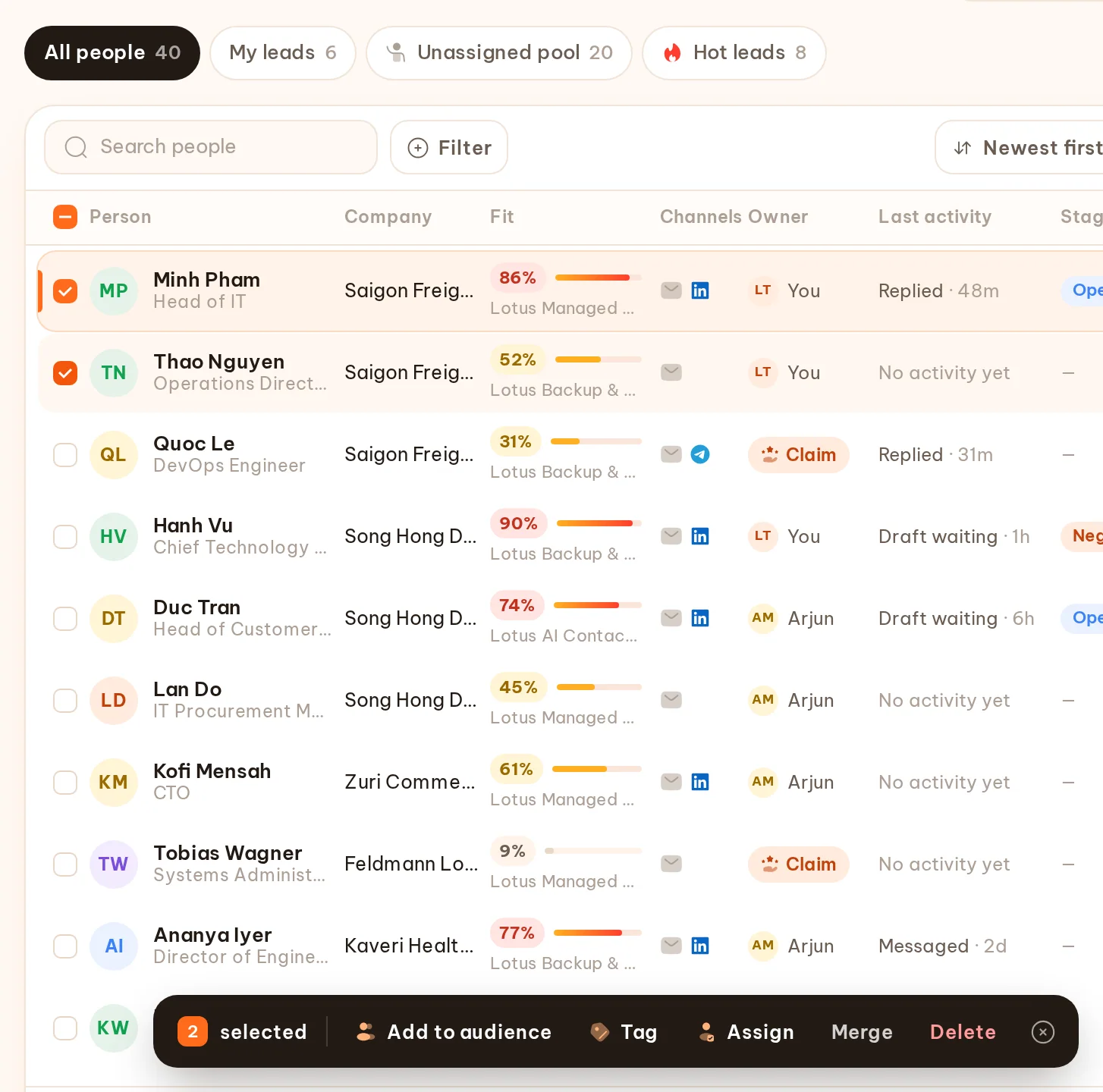
- 1 The selected rows.
- 2 How many are selected.
- 3 Add to audience.
- 4 Tag.
- 5 Assign.
- 6 Merge.
- 7 Delete.
- 8 Clear selection.
Actions
| Action | Does |
|---|---|
| Add to audience | Adds everyone selected to one audience, by hand. Type to find an audience, or type a new name and choose Create audience. |
| Tag | Adds one tag to everyone selected. Type to find a tag, or create one. Tags they already have stay. |
| Assign › Assign to me | Claims everyone selected who has no owner. People who already have one keep their owner. |
| Assign › Release to the pool | Removes the owner from everyone selected, including people a teammate owns. |
| Merge | Merges two or more people into one. Needs at least two selected. |
| Delete | Deletes everyone selected, after you confirm. |
Tag and Add to audience only add, and never take a tag or an audience away; removing one means opening each person’s page.
Merge duplicates
Use merge when the same person was added twice, for example once from an import and once when they wrote in from another address.
-
Select the records
Tick every record of the same person, two or more, and choose Merge.
-
Pick who to keep
Merge into one person lists the selected people with their company and title. Pick the one to keep. Their name, title and other details are the ones that stay.
-
Merge
Choose Merge N people.
The others’ channels, conversations, notes, tasks, deals, campaign history, tags, audiences and what Kit remembers about them move to the person you kept, then the others are deleted, and the merge cannot be undone.
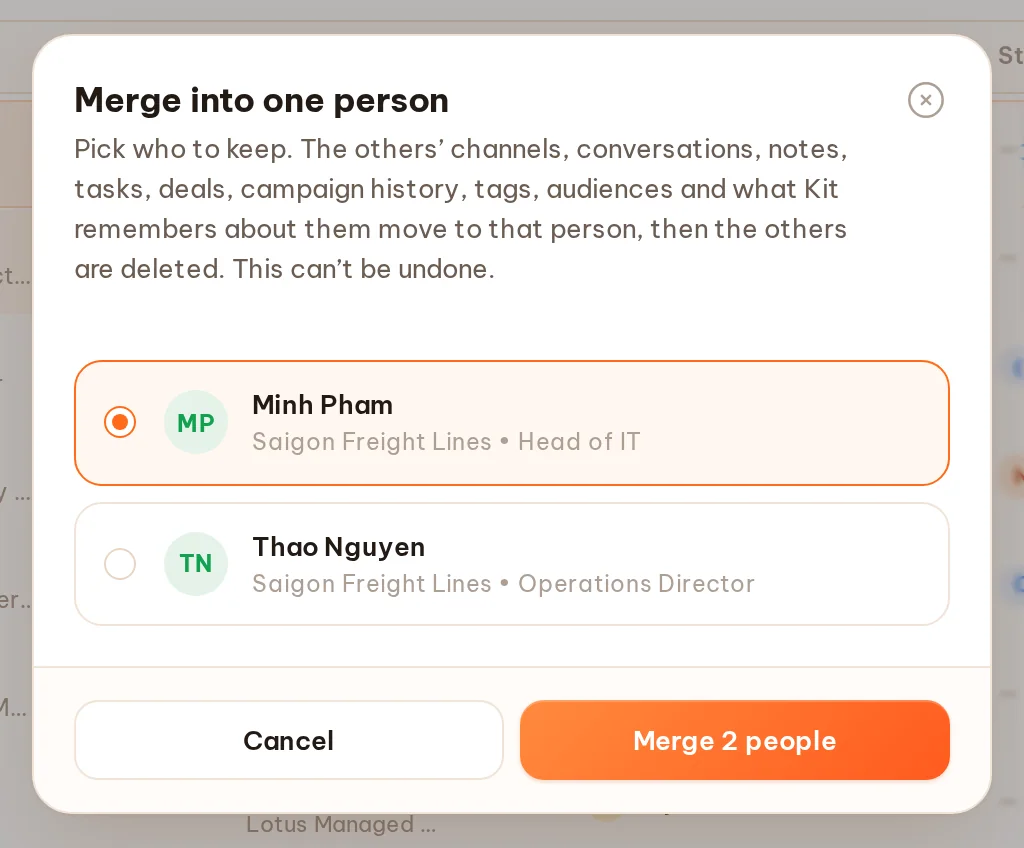
- 1 Pick who to keep.
- 2 Merge.
Delete people
Delete asks first: “Delete 3 people?”. Their channels, activity, deals and scores are deleted with them, and this cannot be undone. To delete one person, use More actions › Delete person on their row’s preview or their page.