/settings/workspace. Only an owner can change anything here — see Roles & Permissions.
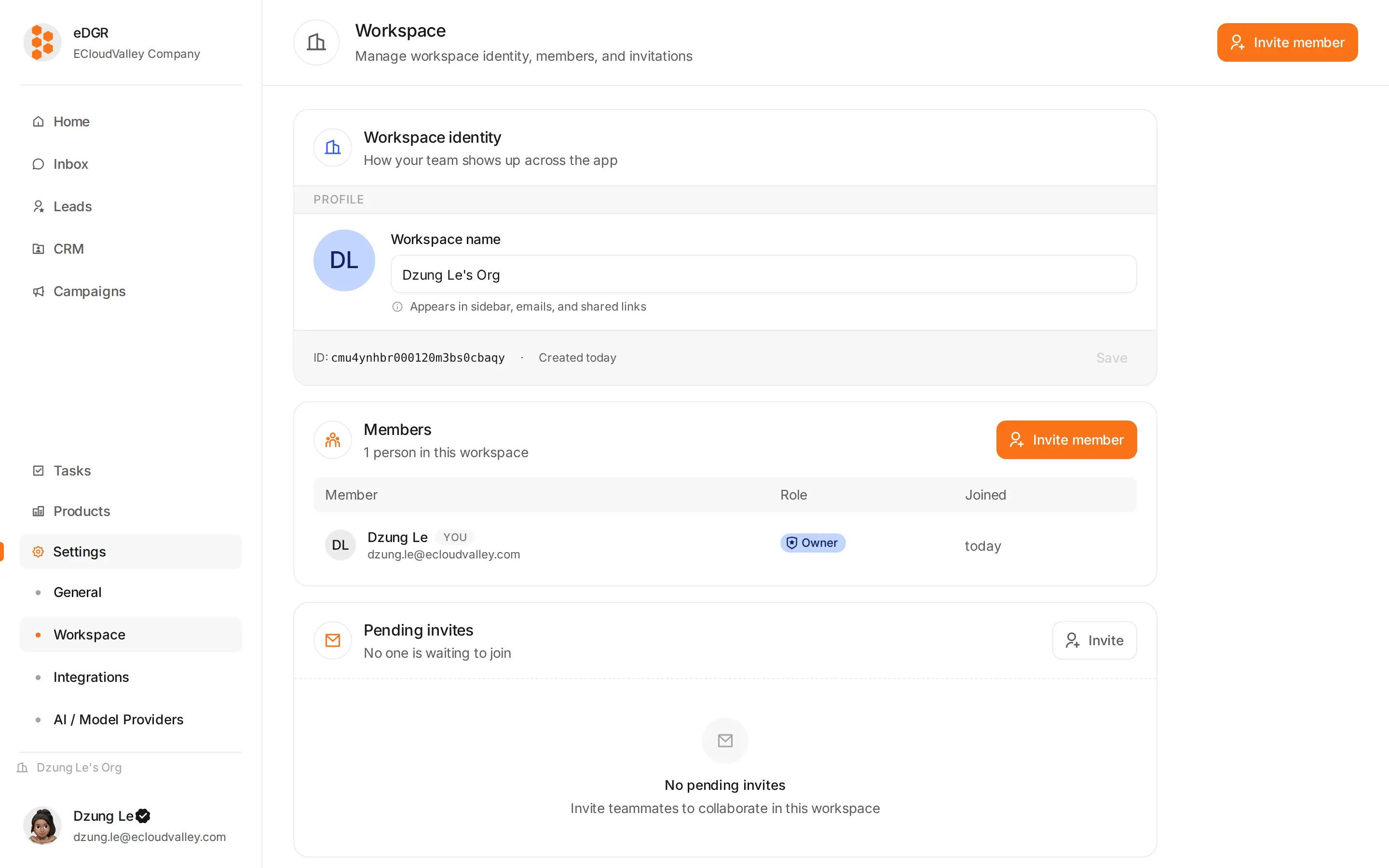
Identity
The organization’s name, and any further fields your version carries.Members
The table lists avatar, name, email, role badge and when each person was last seen. The row menu changes a member’s role or removes them, and an owner must do both. + Invite member opens the invite drawer: an email address and the role they should get.Pending invites
Invites that have not been accepted, each with the email, the role, when it was sent, and a countdown —3d left, <1h left, expired. Revoke one from its row.
Accepting an invite
The invite link goes to/invite/:token. Someone who is not signed in is sent to log in or register first; once they are authenticated they join the org with the role on the invite, and the token is spent.