/leads in the main menu.
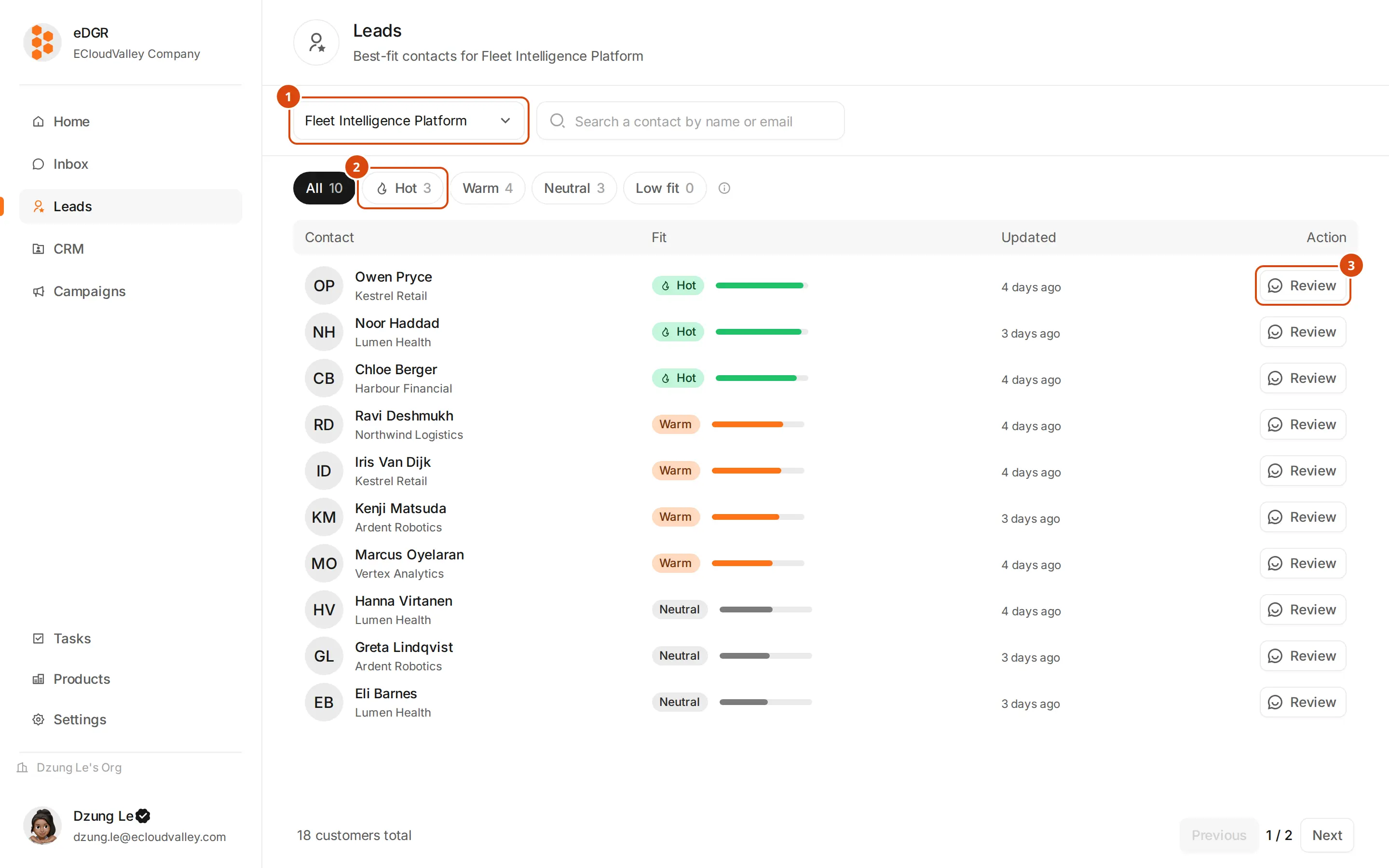
Pick the product
Scores belong to a product, so the ranking changes entirely when you switch. Without a product there is nothing to rank.
Filter by quality
Each pill carries its own count, so you can see how the list splits before opening anything.
Reading the table
Columns are the contact, their fit, when the score was last updated, and the action button. Fit shows as a signed percentage from −100% to +100% and a coloured badge:| Badge | Fit | Meaning |
|---|---|---|
| Hot | 70% and up | Strong match on the signals you defined |
| Warm | 30% to 70% | Partial match |
| Neutral | −30% to 30% | Nothing much either way |
| Low fit | below −30% | The signals point away from this customer |
| Not scored | — | Too few signals assessed to publish a number |
Why a customer scored what they did
Expand a row and the right-hand side breaks the score into three groups:- Who they are — what their profile and company say.
- What they say — what the conversation revealed.
- How they engage — opens, clicks, replies.
Human review
The clipboard button on a row opens Human review: one box for what you know that the scorer does not.Write what changes the picture
For example: “Customer is junior, not a decision maker yet — discount technical-fit weight.” Or: “Company under 50 employees, not a strong fit.”