/crm/segments).
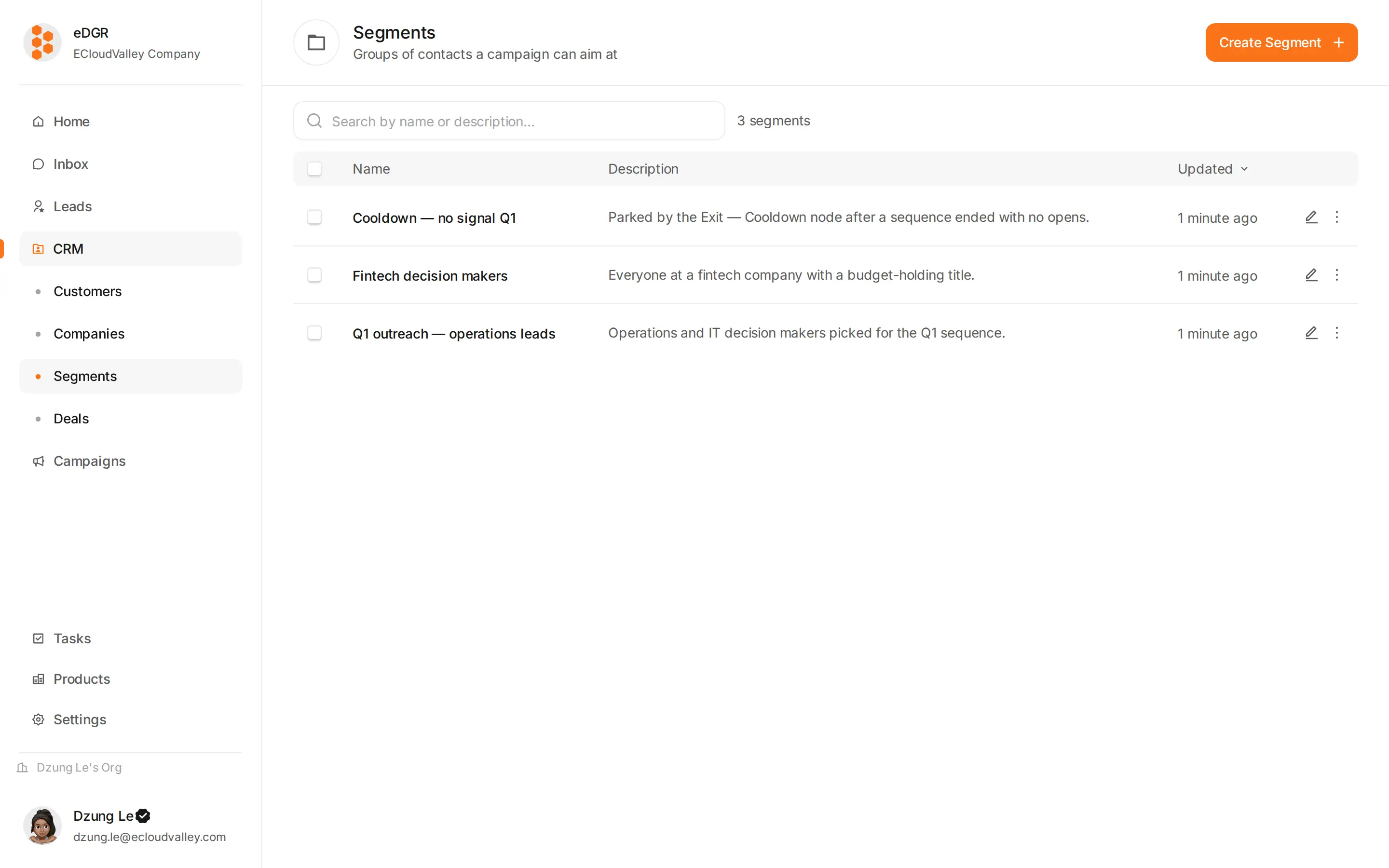
Static or dynamic
| Type | Who is in it | Good for |
|---|---|---|
| Static | Whoever you put there, by hand or by an add-to-segment node | Fixed lists: a Q1 batch, a cooldown list |
| Dynamic | Whoever matches the rules right now | Living groups: customers tagged hot-lead in Vietnam |
Create one
+ New segment
Give it a name, and a description saying why it exists — teammates read that description when deciding whether to reuse it.
The segment page
/crm/segments/:id has three tabs.
- Members
- Settings
- Used by
The customer table for this segment. A static segment gets Add customers and Remove; a dynamic one gets Recompute. Bulk actions work here the same as in the customer table.
Segments that do a job
- A cooldown segment holds customers who are not ready. The Exit — Cooldown node fills it. Name it
Cooldown — <reason>so the reason survives. - An exclusion segment holds everyone campaign A already touched, so campaign B can exclude it and avoid a double send.
- A suppression mirror is a dynamic segment of customers with at least one suppressed contact, useful when auditing who you have stopped contacting.