/campaigns/templates.
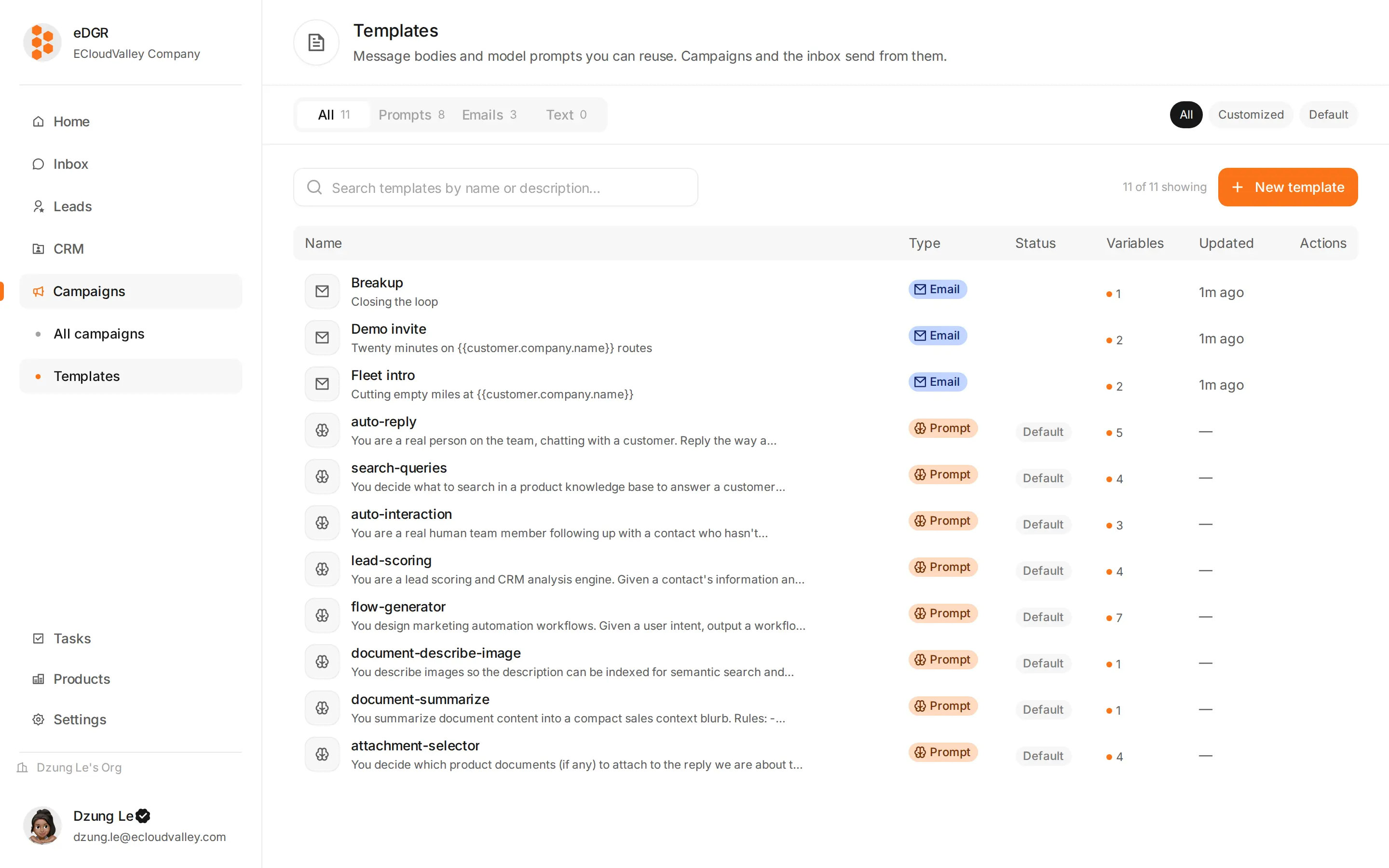
| Type | Holds | Edited with |
|---|---|---|
email | A subject and a body | A block editor that renders to email-safe HTML |
text | A plain body | A text box |
prompt | Instructions for a model | Two text boxes — see below |
Create one
+ New template asks for the type first, then the name and the body.The email editor
An email template opens in a block editor. Type/ to insert a block — heading, text, button, image, divider, spacer — and drag a block’s handle to reorder it. The blocks stack into a layout that survives real email clients, and both the rendered HTML and the block structure are saved, so reopening the template gives you the blocks back rather than raw HTML.
Variables
Type@ in the subject or the body and pick a field. It appears as a pill, travels as {{path}}, and is filled in at send time. The hint bar under the editor lists everything available; clicking a hint inserts it at the cursor.
Common ones:
{{customer.firstName}},{{customer.lastName}},{{customer.fullName}}{{customer.email}},{{customer.linkedinUrl}}{{customer.company.name}},{{customer.company.domain}}{{customer.language}},{{customer.country}}
Preview
Pick someone under Preview as… and click Preview to see the email with that customer’s real values in it, at desktop and phone width. Nothing is sent.Test send
Test send in the template header sends a real message.Redirect the recipient
By default it goes to that customer. Override it with your own address to check the layout without touching them.
Prompt templates
Aprompt template is instructions for a model rather than a message for a person, and it is written in two parts:
The cacheable box holds the static part, identical on every call. Providers bill a cached prefix at a lower rate, so the long, unchanging instructions belong there. The dynamic box holds whatever changes per request.
Two names are looked up by the system, and creating a template with one of them replaces the built-in default:
| Name | Used by |
|---|---|
flow-generator | AI Generate when drawing a campaign |
lead-scoring | The scorer when rating a customer against a product |