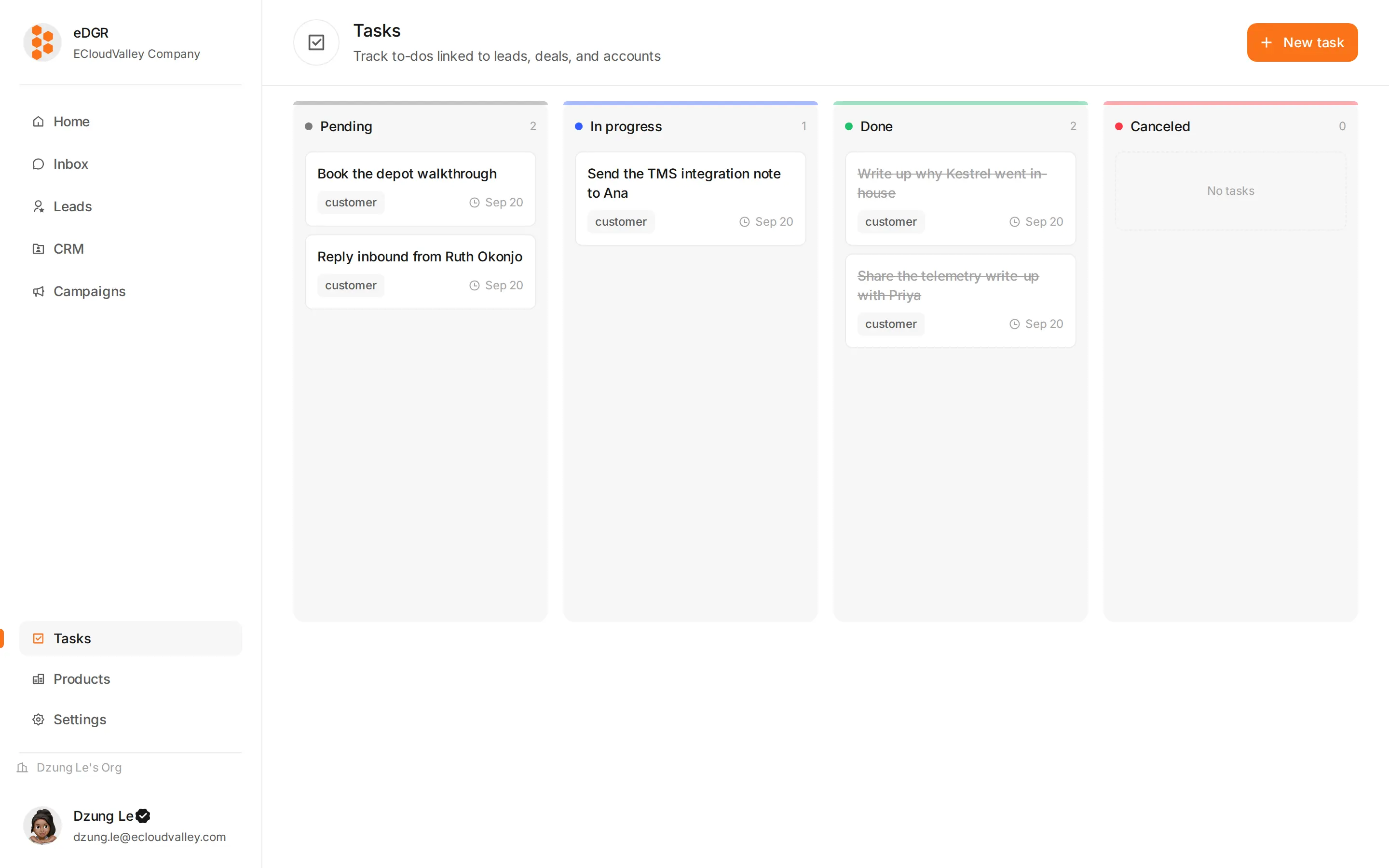
Access: /tasks.
Tasks page

Concept

A task is one piece of work:
  • Subject (short title)
  • Description (optional)
  • Subject anchor (polymorphic): customer / deal / company
  • Assignee — a user in the org. null = pool task, anyone can pick it up.
  • Due date (optional)
  • Status: pending, in_progress, done, canceled

Kanban view

4 columns = 4 statuses. Drag a task card between columns to change its status.
ColumnStatus
Pendingpending
In progressin_progress
Donedone
Canceledcanceled

Create a task

1

+ New task

Modal opens.
2

Subject + description

Short title + optional details.
3

Subject anchor

Picker for customer / deal / company. The task is attached to the chosen entity.
4

Assignee

Member picker. Leave empty = pool task.
5

Due date (optional)

6

Save

Pool task

A task with no assignee = “pool”. Use cases:
  • Autoreply escalation: bot can’t answer → creates a pool task
  • New inbound with unclear owner → goes to the pool
Members see pool tasks in the kanban (when the filter permits) or via a dedicated endpoint.
View filters (My / Pool / All), one-click claim from the UI, overdue-due-date highlighting, an automation node that creates tasks, task lifecycle audit log — coming soon or partial.