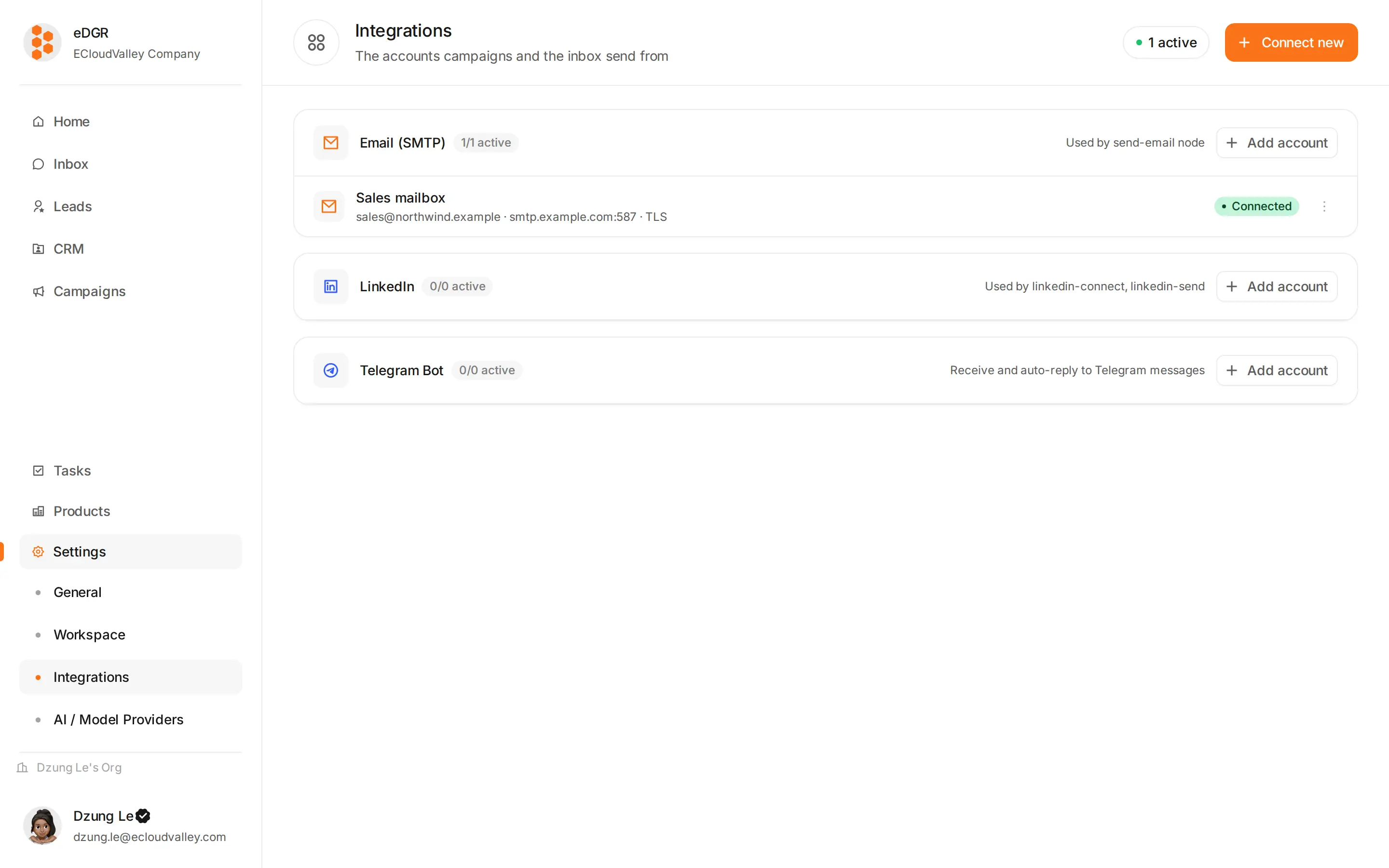
/settings/integrations.
Each card is one provider, showing how many accounts are connected and whether they are working. + Connect adds another.
Nothing can be sent until at least one credential here reads active — messaging nodes, the AI agent and the inbox composer all pick from this list.
Email (SMTP)
| Field | Example |
|---|
| Name | Sales SMTP — how you will recognise it in a picker |
| Sender | John <john@company.com> |
| Host | smtp.gmail.com |
| Port | Picked from a list |
| Encryption | TLS, SSL or none |
| Username | john@company.com |
| Password | Stored encrypted; editing shows it blank, and leaving it blank keeps the current one |
LinkedIn
Connect with LinkedIn opens LinkedIn’s own authorization page, where you approve three permissions: send connection requests, send and receive messages, and view profile information. Approve there and EDGR waits — it polls for up to three minutes — then the credential goes active by itself.
The token is stored encrypted and refreshed automatically.
Telegram
One field: the bot token from @BotFather. The token is encrypted at rest and never sent back to the browser.
A Telegram bot cannot message someone who has not started a conversation with it. Telegram only delivers after the person sends /start to your bot, which makes Telegram a channel for people who already know you.
Testing and status
Connecting queues a background login test: SMTP connects and authenticates, LinkedIn fetches your own profile, Telegram calls getMe.
| Badge | Meaning |
|---|
pending | The test is still running |
active | Working, and available to campaigns |
failed | The test failed — the card shows why |
revoked | The provider invalidated it: an expired session, a changed password |
disabled | Switched off by hand |
When a credential stops working
The background worker flips the badge to failed or revoked. Campaigns using it pause at the messaging node rather than dropping the customer, and once you fix the credential the waiting runs continue on their own.
Duplicate accounts
EDGR fingerprints the external account — the LinkedIn profile, the SMTP user@host, the Telegram bot id — and refuses a second credential for the same account. If a connect attempt is rejected as a duplicate, the account is already connected under another name.