/inbox collects every inbound and outbound message in the workspace. One customer has one conversation, whatever channel the messages arrived on — an email, a LinkedIn DM and a Telegram message from the same person land in the same timeline.
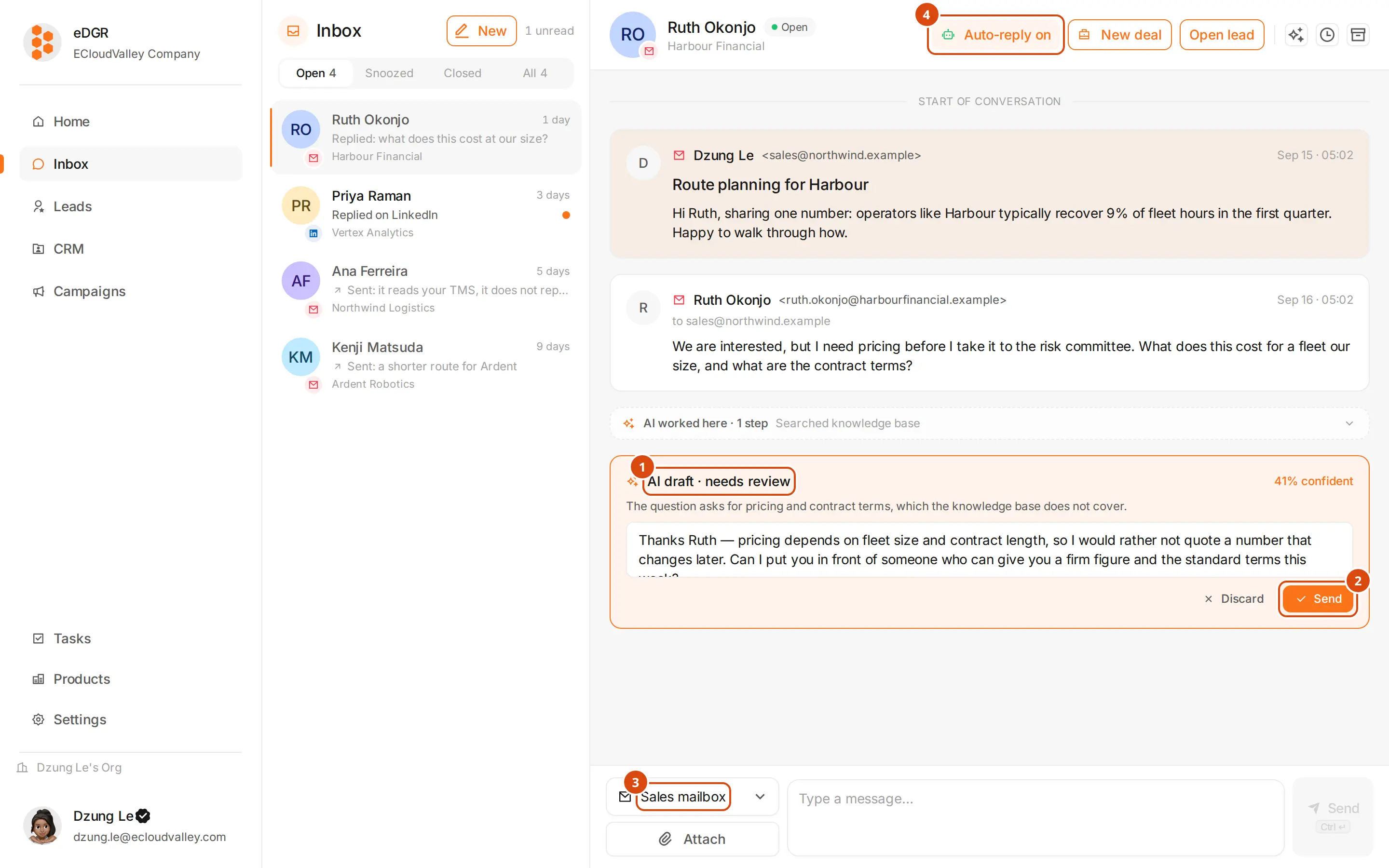
Three panels
- Left, the conversation list. One row per customer, most recent first, with an unread dot and an icon for the channel the last message used.
- Middle, the conversation itself: messages, activity, what the AI agent did, and the composer at the bottom.
- Right, the contact card: who this customer is and which company they belong to. Open profile jumps to the full customer drawer.
Thread status
A conversation isopen, snoozed or closed.
| Status | Meaning |
|---|---|
open | Live. New inbound arrives here. |
snoozed | Hidden until the time you picked. It returns to open when that time passes. |
closed | Done. New inbound from the customer reopens it. |
What appears in the timeline
| Kind | Example |
|---|---|
| Message | An email, DM or Telegram message, inbound or outbound |
| Tracking | The customer opened the mail, or clicked a link |
| AI draft | A reply the agent wrote but is not confident enough to send |
| AI steps | The tools the agent called, grouped into one card |
| Campaign | A campaign event on this customer |
| Fit assessment | A re-score of this customer |
Opened email ×4.