/crm/customers).
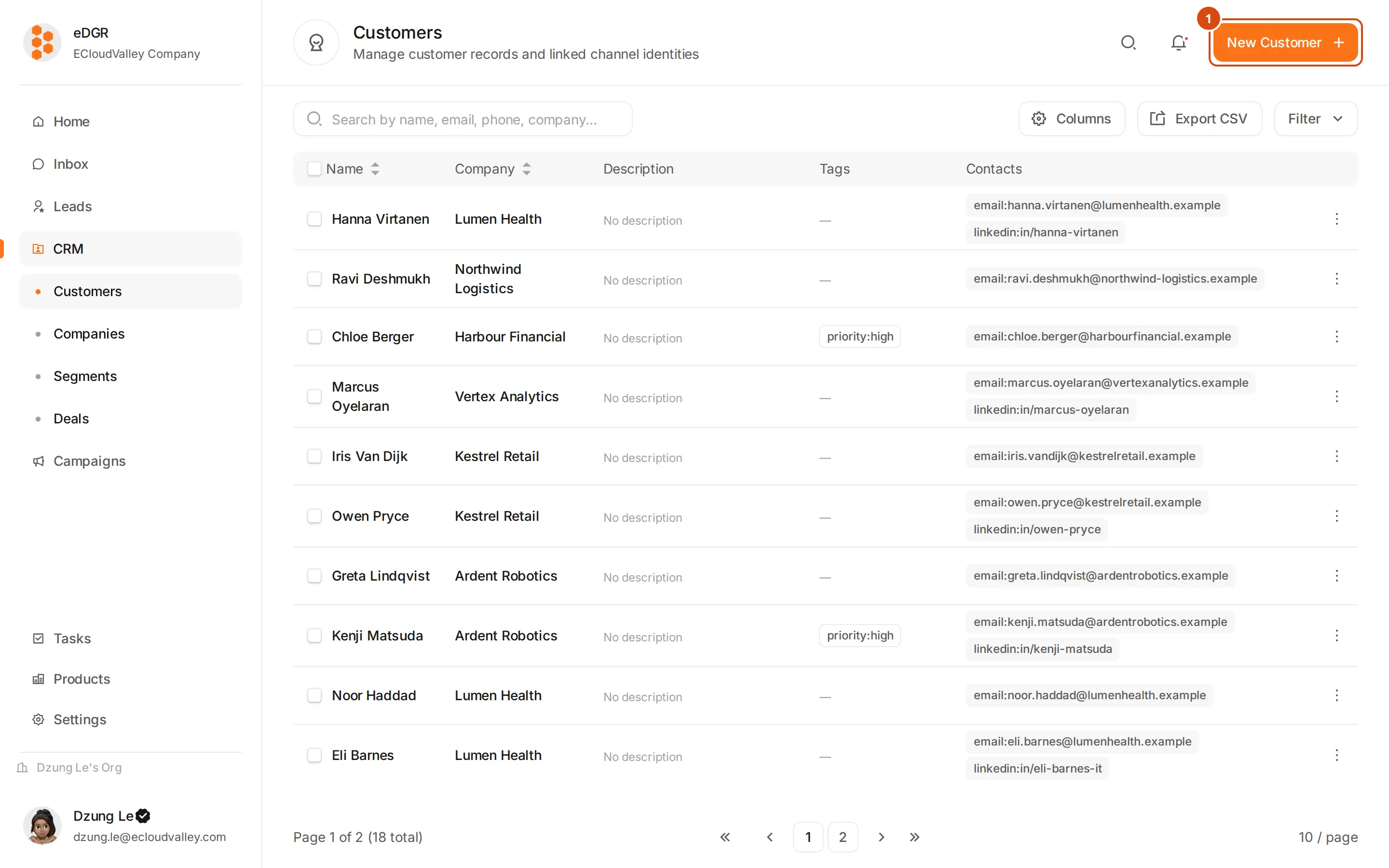
Add a customer
New Customer opens a modal asking for a full name and a first contact, which is a channel plus its value. Company, owner, tags, language and country are optional, and the company field can create a company inline.Search and filter
The search box matches name, email, LinkedIn URL, phone, Telegram chat ID, company name and company domain. Filters narrow the table by owner (mine, unclaimed, or a named user), tag, segment, country, language, score range and created date.Claim a customer
Claiming says who is expected to work a customer, so two reps do not contact the same person on the same day.- Claim in the customer drawer makes you the owner. A customer someone else has already claimed cannot be claimed out from under them.
- Unclaim puts them back in the pool.
- Ticking rows in the table gives you bulk claim and bulk release for many customers at once.
Contacts
The Profile tab of the drawer lists the customer’s channels. + Add contact adds one, Set as primary decides which is used when nothing specifies a channel, and Unlink detaches a contact while keeping its message history.Bulk operations
Tick rows and the bulk bar appears: claim, release, add tags (missing tags are created), add to or remove from a static segment, archive, export the current filter as CSV, and merge. Merging picks a primary customer and folds the others into it. Contacts, deals, notes and tasks move to the primary; the activity log stays readable on both; the secondary is archived. Archiving is the closest thing to a delete: the customer is hidden from the table and reachable under the Archived filter.The detail drawer
Clicking a row slides in a drawer with four tabs.- Profile
- Activity
- Notes
- Tasks
Name, avatar, language, timezone and country; the company, which links through to the company drawer; the owner and the claim buttons; the contact list; tags; and any custom fields your org has configured.
Suppression
Suppression is set on a contact, not on the customer, so you can stop emailing someone while still messaging them on LinkedIn. Reasons areunsubscribe, bounce, complaint, manual and do_not_contact.
Suppress and unsuppress from the ”…” menu on a contact row in the Profile tab. Once suppressed, every campaign send and every manual send skips that contact.
CSV import
Load many customers at once with Import from CSV in the ”…” menu. The file needs anemail column; firstName, lastName, phone, company, jobTitle, location, industry, linkedinUrl and telegramUsername are optional, and any column EDGR does not recognise is kept as an extra field. See CSV Import.