/campaigns/:id/builder. The builder takes the whole screen.
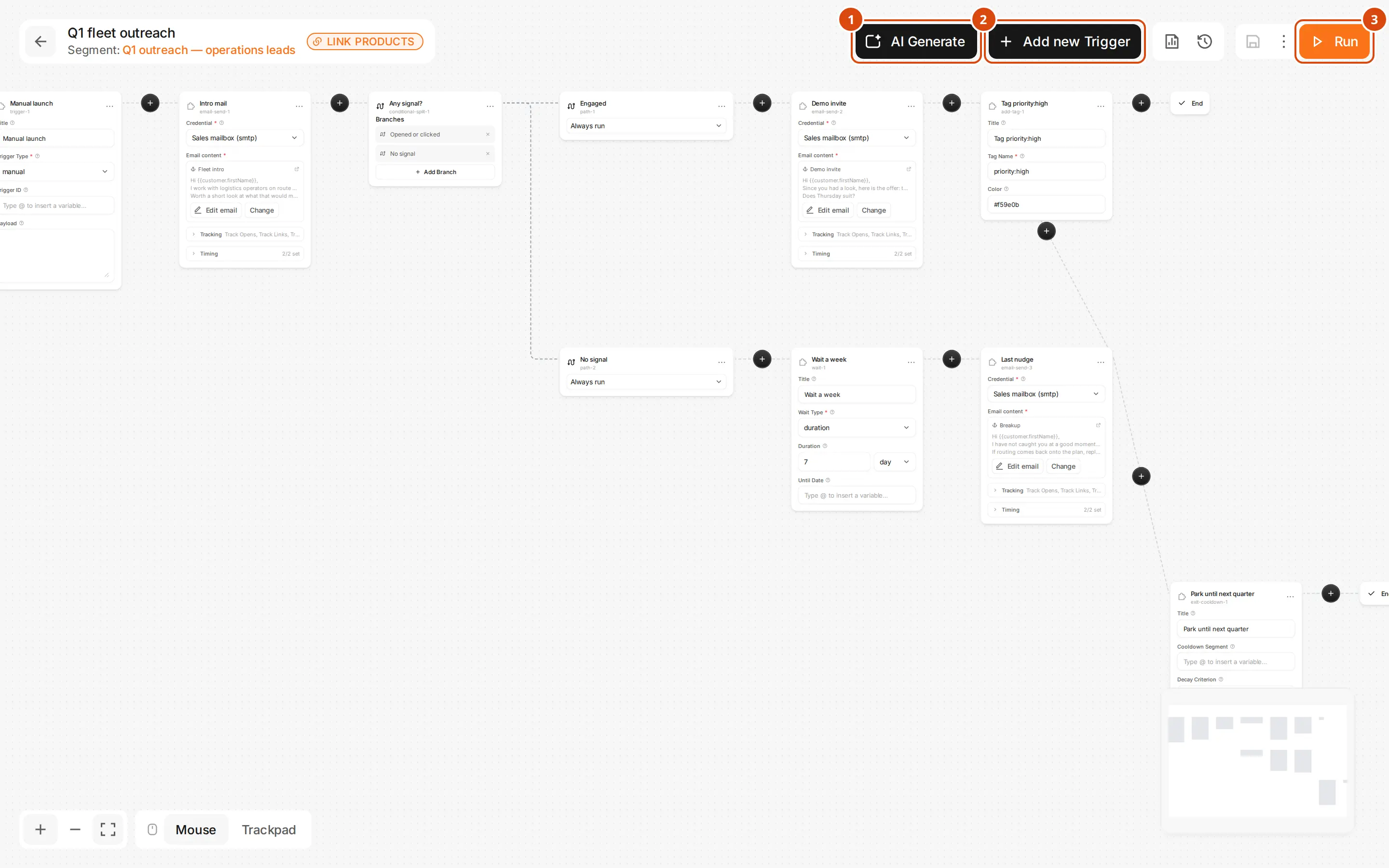
AI Generate
Draws a whole workflow from a description. See AI Generate.
Add new Trigger
Adds what makes customers enter this campaign. See Triggers.
The three areas
- Left, the node palette, grouped into Builtin, Contact and Messaging. See Automation Nodes.
- Middle, the canvas. Drag the background to pan, scroll to zoom, drag a box to select several nodes.
- Right, the config drawer for whichever node you clicked.
Draw the flow
Add a node
Add a node
Drag it from the palette onto the canvas, or click the
+ on an existing arrow to insert a node in the middle of it.Connect two nodes
Connect two nodes
Drag from the small circle on the source node to the circle on the target.
Delete
Delete
Select a node or arrow and press
Del, or use the node’s own menu.Configure a node
The drawer’s fields come from the node’s own schema, so each node shows only what it needs. Fields validate as you type, and four helpers appear where they apply: a variable picker, a template picker, a credential picker filtered to the right channel, and a fit-criterion picker.Variables
The{ } icon in a field opens the namespace tree. Click a leaf and it inserts {{customer.firstName}} at the cursor.
| Namespace | What it holds |
|---|---|
customer.* | firstName, lastName, fullName, email, linkedinUrl, phone, telegramChatId, language, country, timezone, tags[], and company.name, company.domain, company.industry |
trigger.* | type, and payload.* for a webhook or event |
run.* | id, startedAt |
node.<id>.output.* | Anything an upstream node produced, such as node.email-1.output.replied |
org.* | name |
Branching
An arrow with no condition means “move on when this node finishes”.- edge.when
- Conditional Split and Path
On a messaging node, each outgoing arrow can carry a condition about what the message did:
replied, clicked, opened, bounced, or default for none of those. Use it for branching on an outcome.Compile errors
A red banner lists what stops the campaign activating. Click an error to jump to the node.| Error | What to do |
|---|---|
NO_TRIGGER | Add a Trigger node |
DANGLING_NODE | A node has no route to an Exit — connect it |
INFINITE_CYCLE | A loop with no Wait in it — add one, or break the loop |
MISSING_FIELD | Fill the required field the error names |
INVALID_CREDENTIAL | The credential was deleted or disabled — pick another |
INVALID_TEMPLATE | The template name does not exist |